Recording and analyzing swings (online analysis)
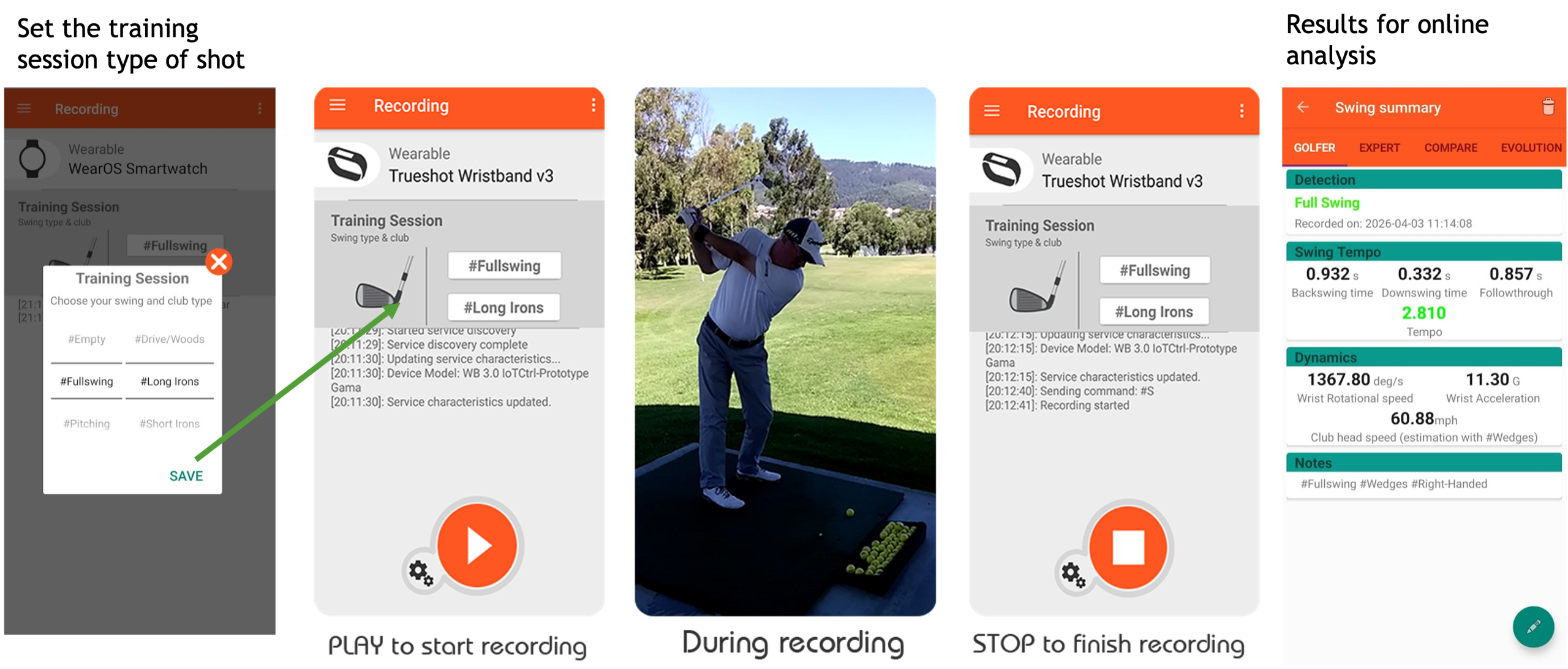
The Swing Tempo app records your wrist movement during a golf swing and detects the swing type by extracting its main characteristics. The recording can be performed using either a smartphone or a smartwatch.
Before starting a recording session, set up your training session by selecting the swing type (Full Swing, Pitching, Chipping or Putting) and the club you are using.
Once the setup is complete, press ‘Start’ to begin recording and ‘Stop’ when you finish. After the recording ends, a Swing Summary screen will display the results of your swing analysis.
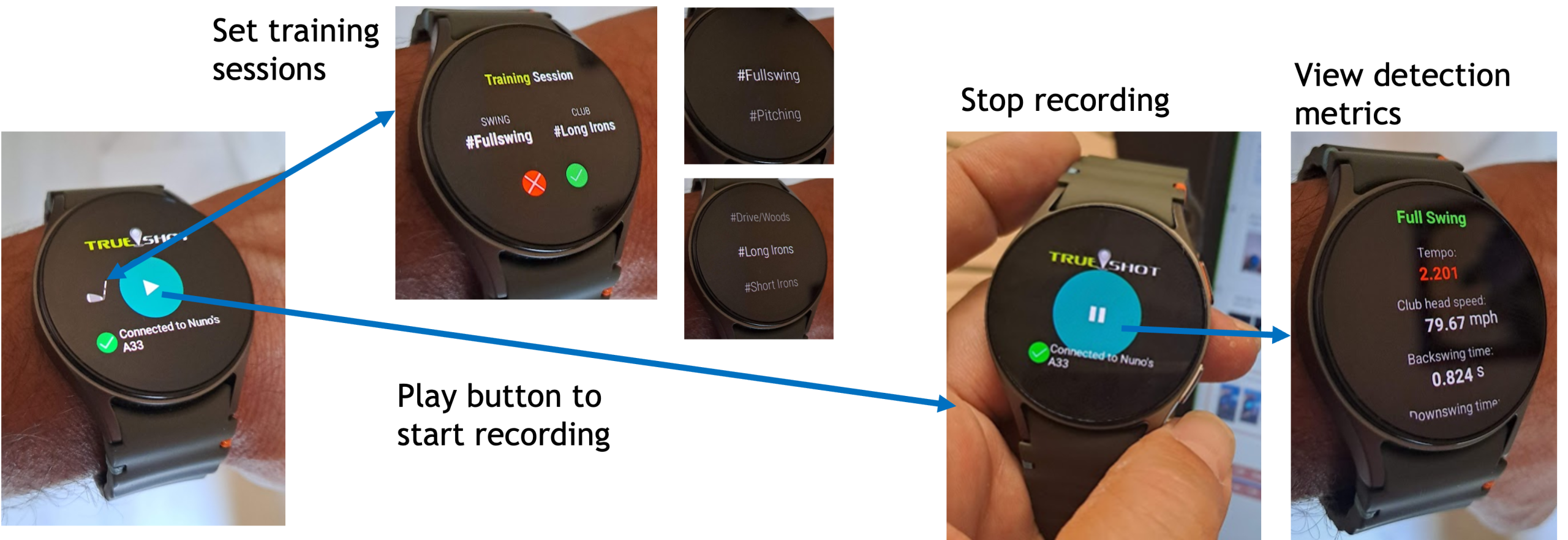
Alternatively, you can record your swing directly on the smartwatch, which is more practical when you are at the driving range. Simply set up your training session, press Start to begin recording, and Stop when you finish. You can then review a summary of the results on the watch.
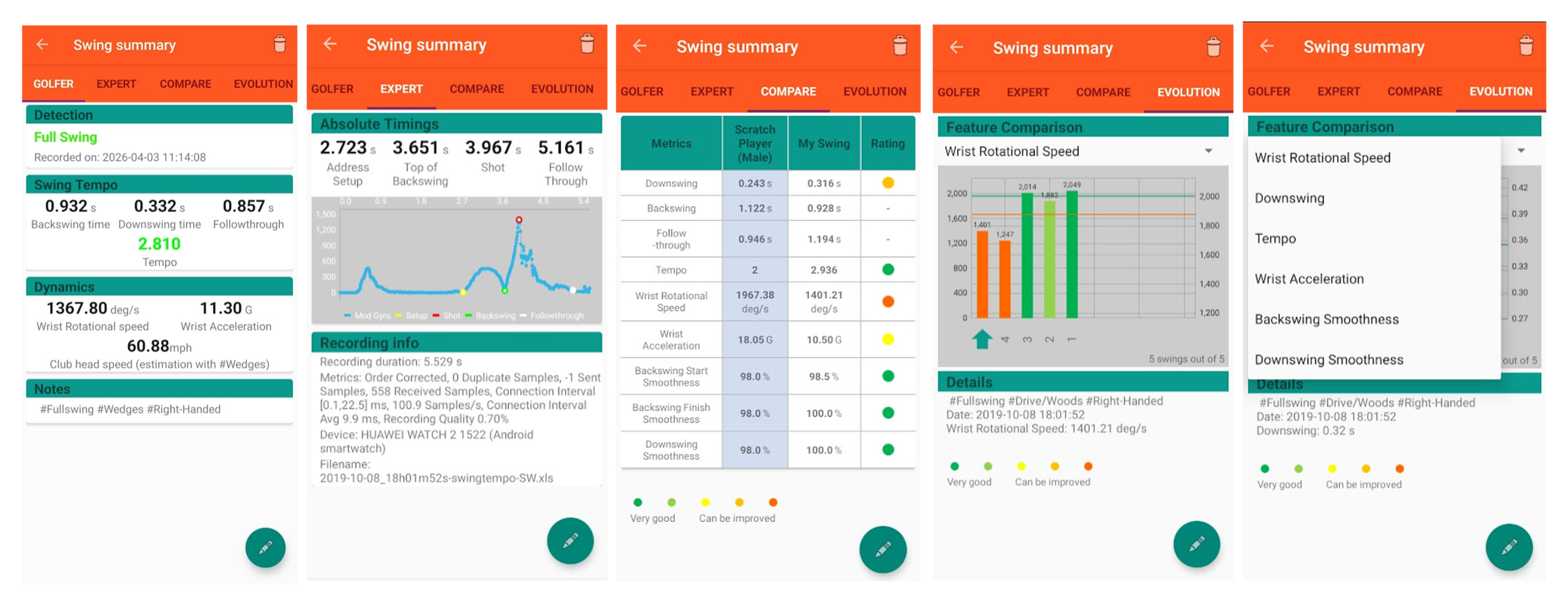
At the end of each recording session, detailed results can be viewed on the smartphone, including:
- Main metrics of the swing.
- Advanced metrics, including the Swing Fingerprint.
- Comparison of your metrics with those of a professional golfer.
- Evolution and progress tracking of your metrics over time.
Analyze my past training sessions (post – analysis)
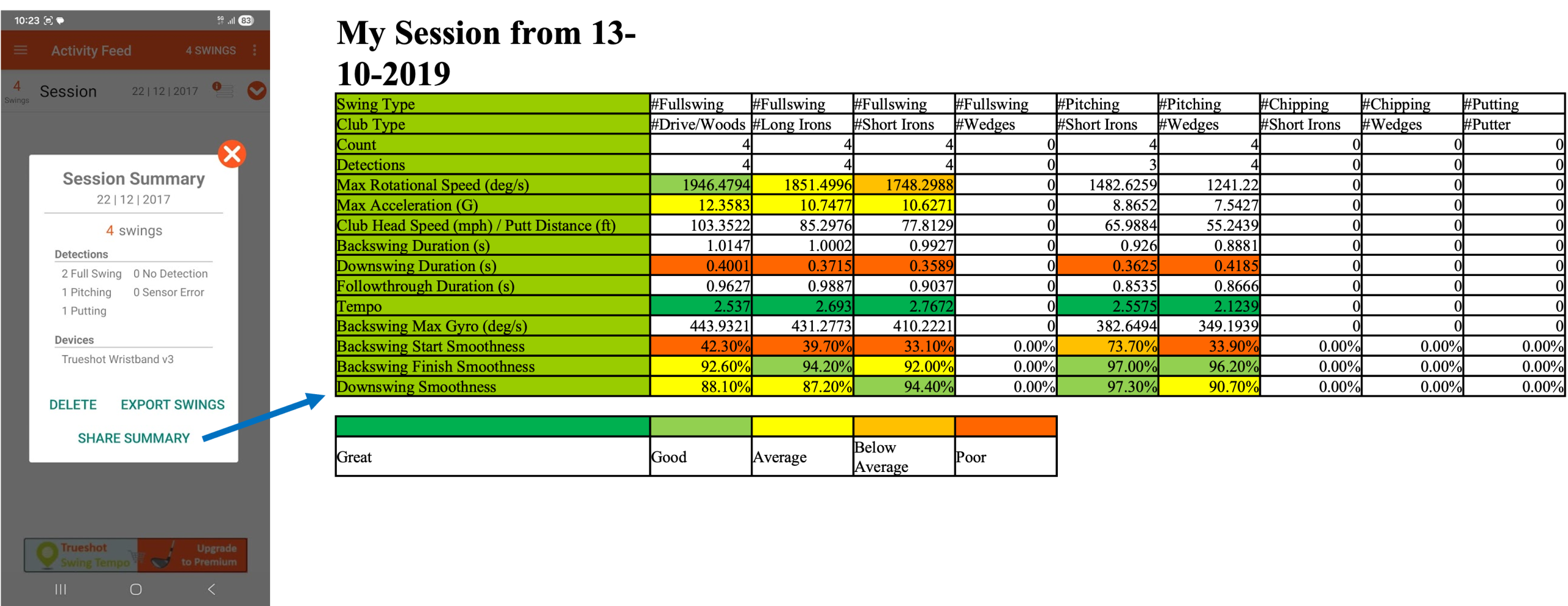
In the Activity Feed, you can view a historical overview of all your swings, organized by training sessions. You can access the Session Summary for your current session as well as for all previous sessions.
Each session evaluates the metrics of every swing using Red, Yellow, and Green (RYG) indicators, making it easy to identify your strengths and the areas that need improvement.
By reviewing your past sessions, you can track your progress over time and monitor the evolution of your swing performance.
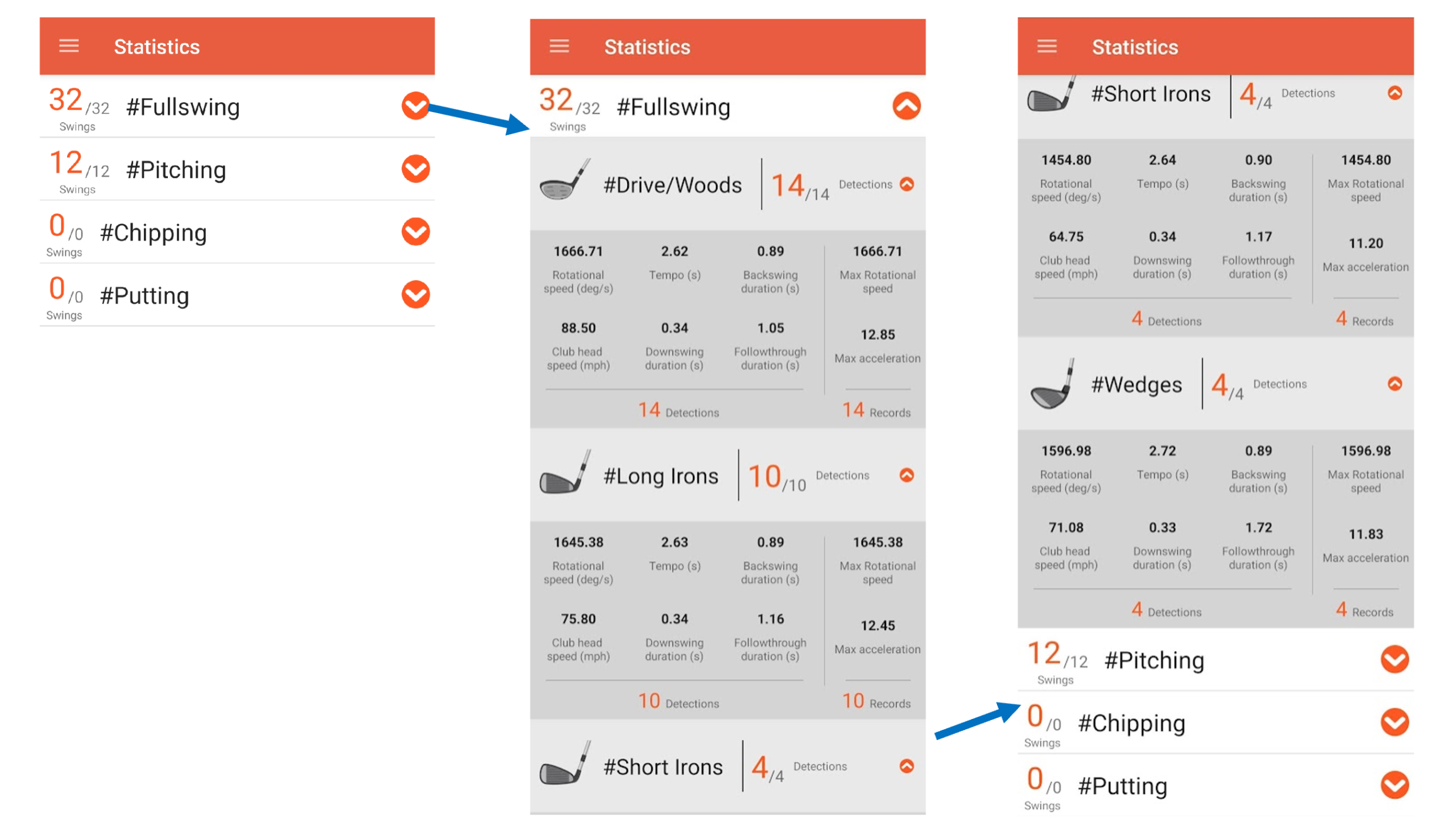
In Statistics, you can also check the cumulative average metrics of all your swings, organized by type of swing.
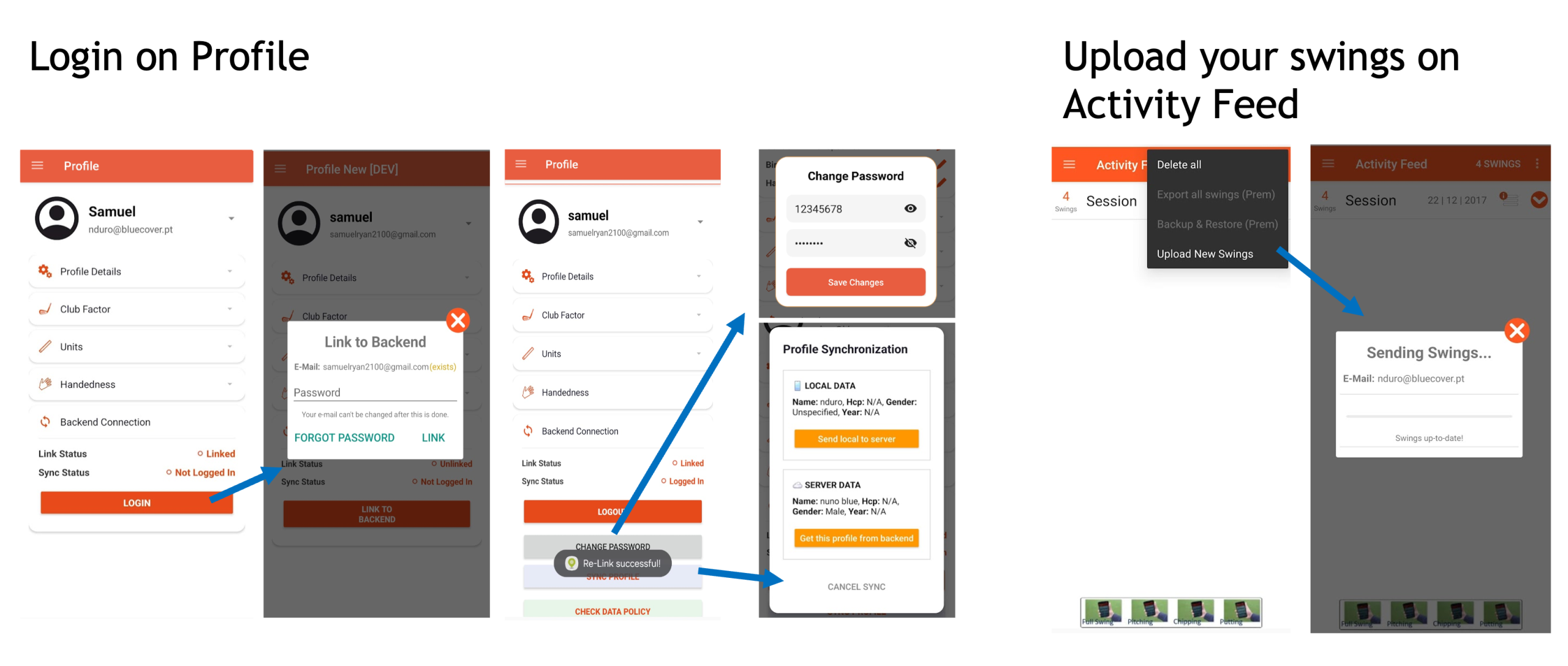
Register, login and upload swings (optional)
The upload of swings is a mechanism to save your sessions and also provide contributions to the developer analyze the quality of the data acquired by your watch.
To initiate the process you need first to register your profile account.
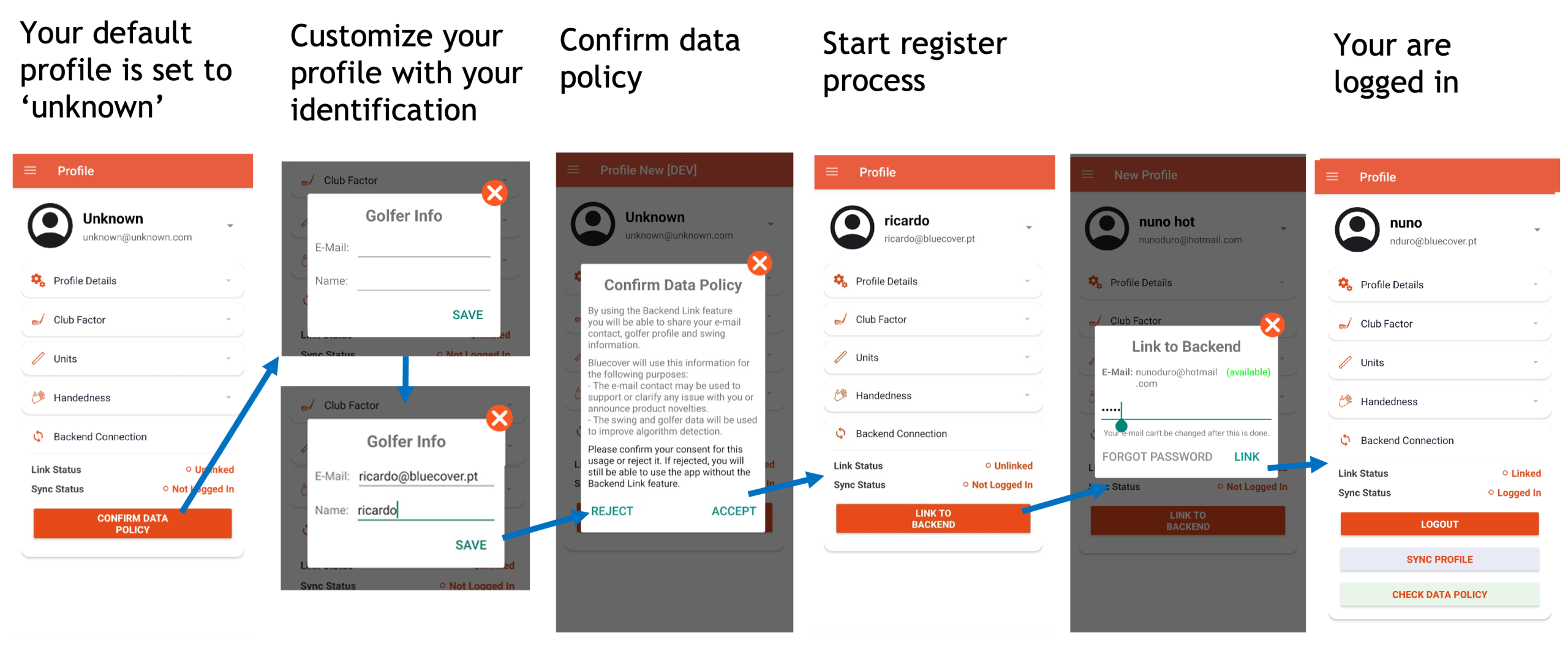
After login, you can go to activity feed upload.