Installation and Configuration Wear OS
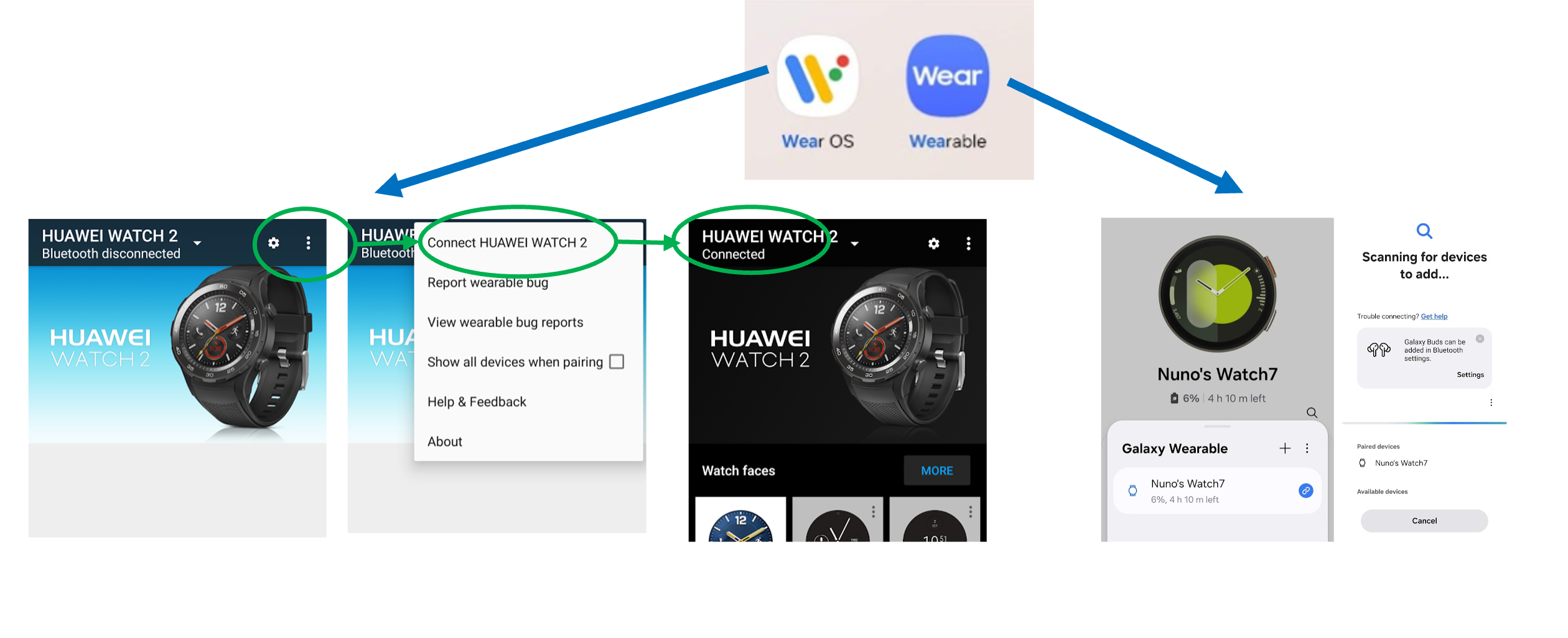
The smartwatch connects to the smartphone through a Wear OS app, such as Google Wear OS or Samsung Galaxy Wearable.
First, make sure the Wear OS app on your smartphone is running and that your Wear OS smartwatch (Wear OS 2.0–6.0), such as the Huawei Watch 2 or Galaxy Watch 7, is connected successfully.
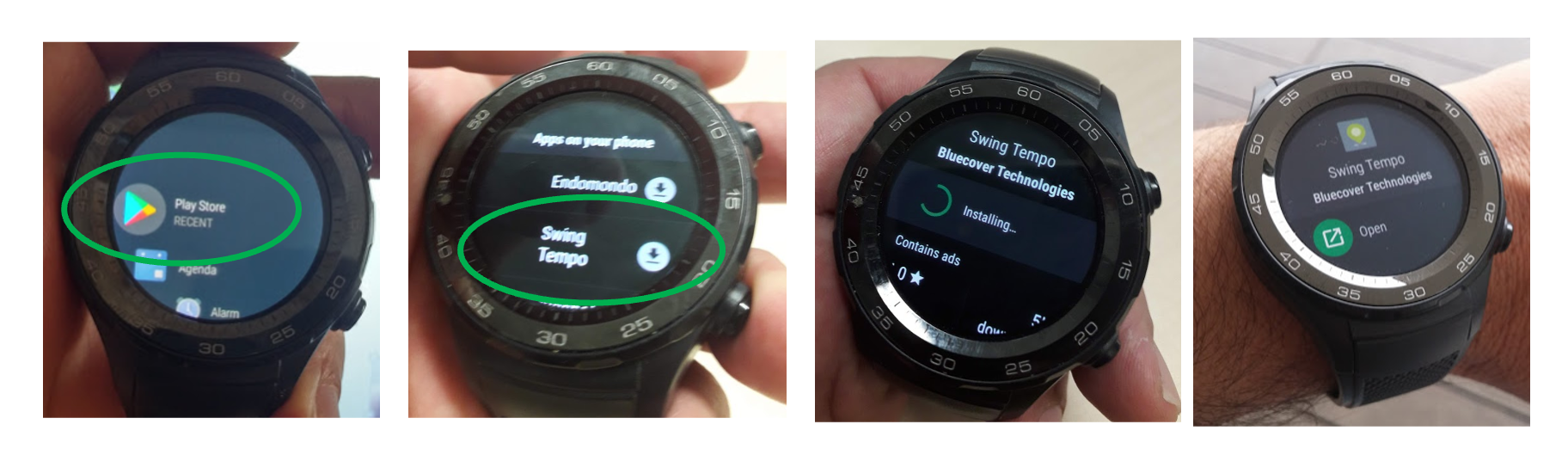
Next, install the Swing Tempo Wear app on your smartwatch from the Google Play Store.
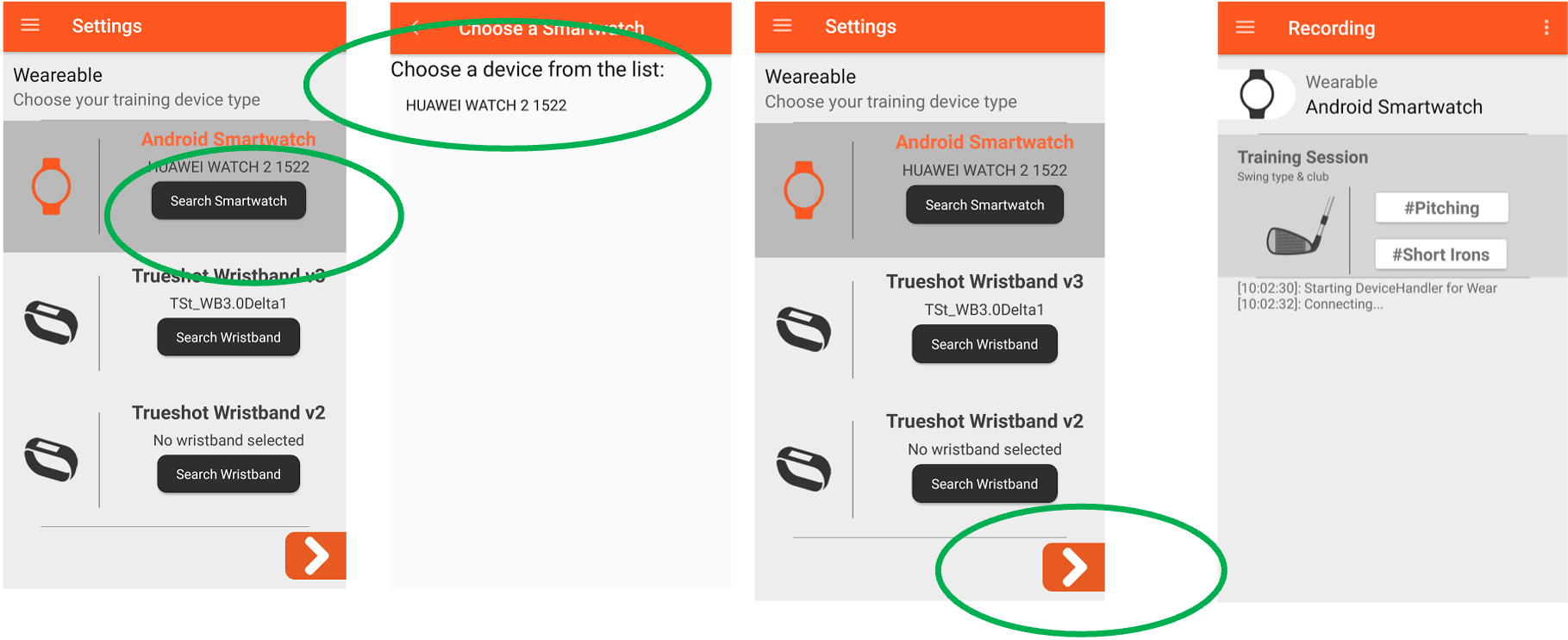
Then, open the Swing Tempo app on your smartphone and go to Settings. Select your smartwatch and tap the arrow icon to start the recording activity for establish connection.
Finally, launch the Swing Tempo Wear app on your smartwatch. Once the connection is established, the status will change from “Connecting“ or “Disconnected“ to “Connected“.
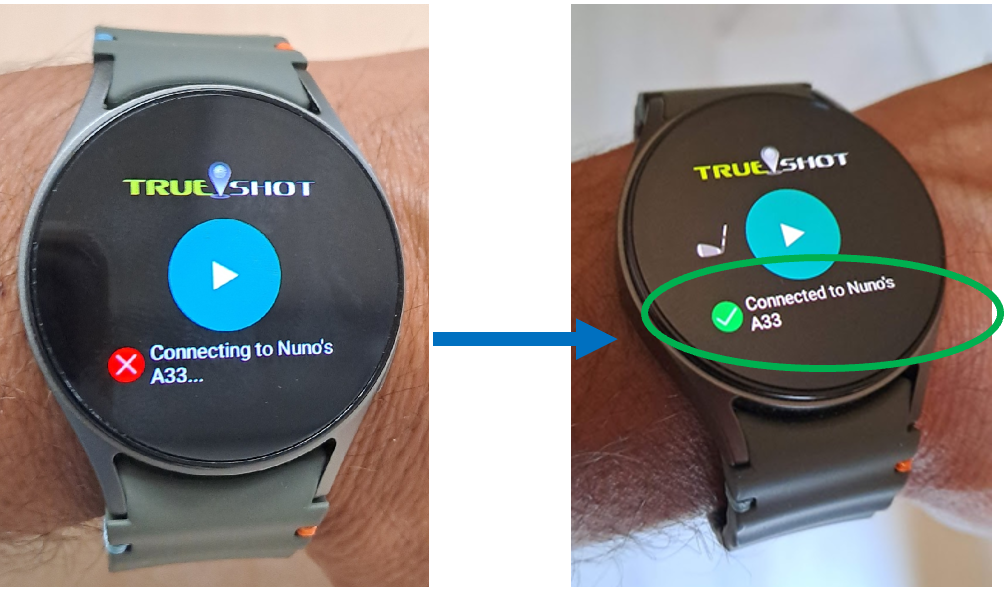
You are now ready to start recording with Swing Tempo.
Define your golfing profile
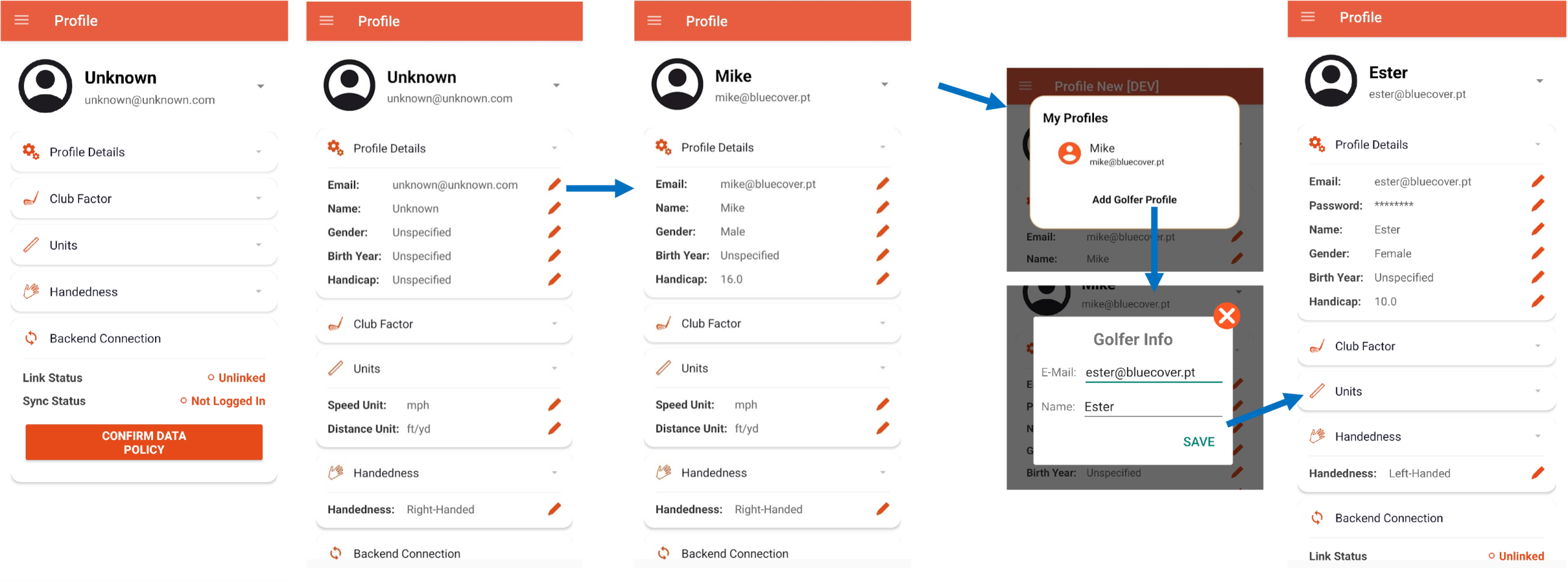
The Profile view allows you to define your golfing characteristics for accurate swing detection and set your preferences for displaying speed and distance units.
The app is initialized with a default profile based on the most common settings. However, it is recommended that you customize your profile to match your personal preferences and playing style. This is particularly important if you are left-handed or if you prefer to use metric units (meters and km/h) instead of imperial units (yards and mph).
Keeping your profile up to date helps ensure more accurate swing analysis and a personalized experience throughout the app.
Define your clubs
You can also use the Clubs view to optionally customize your extended bag of up to 16 clubs and record your distances with each club.
The clubs are organized into five categories: Drivers/Woods, Long Irons, Mid Irons, Short Irons, Wedges, and Putter.
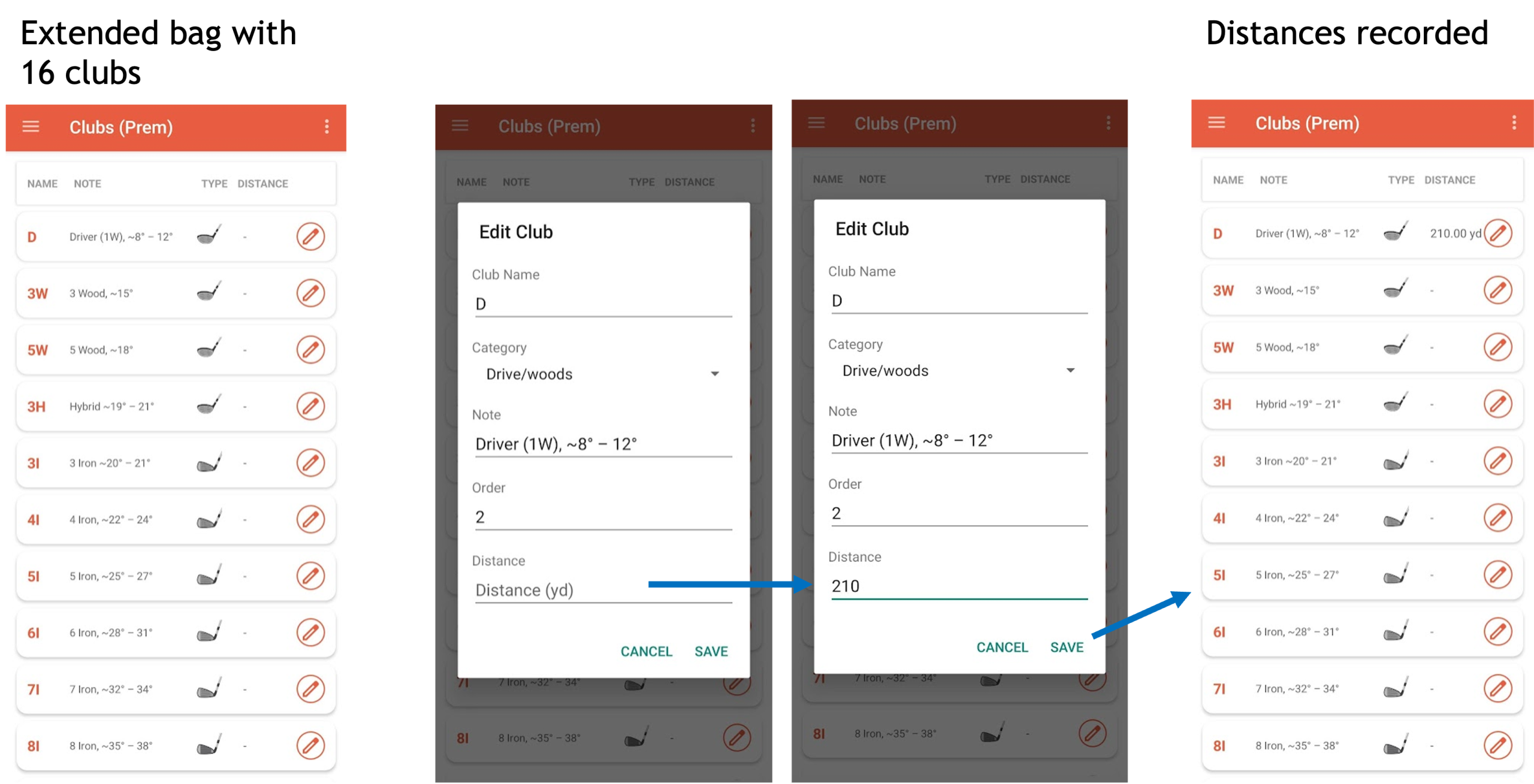
This setup helps you better track your performance and refine your distance control for each club in your bag.

