Upgrade to Premium
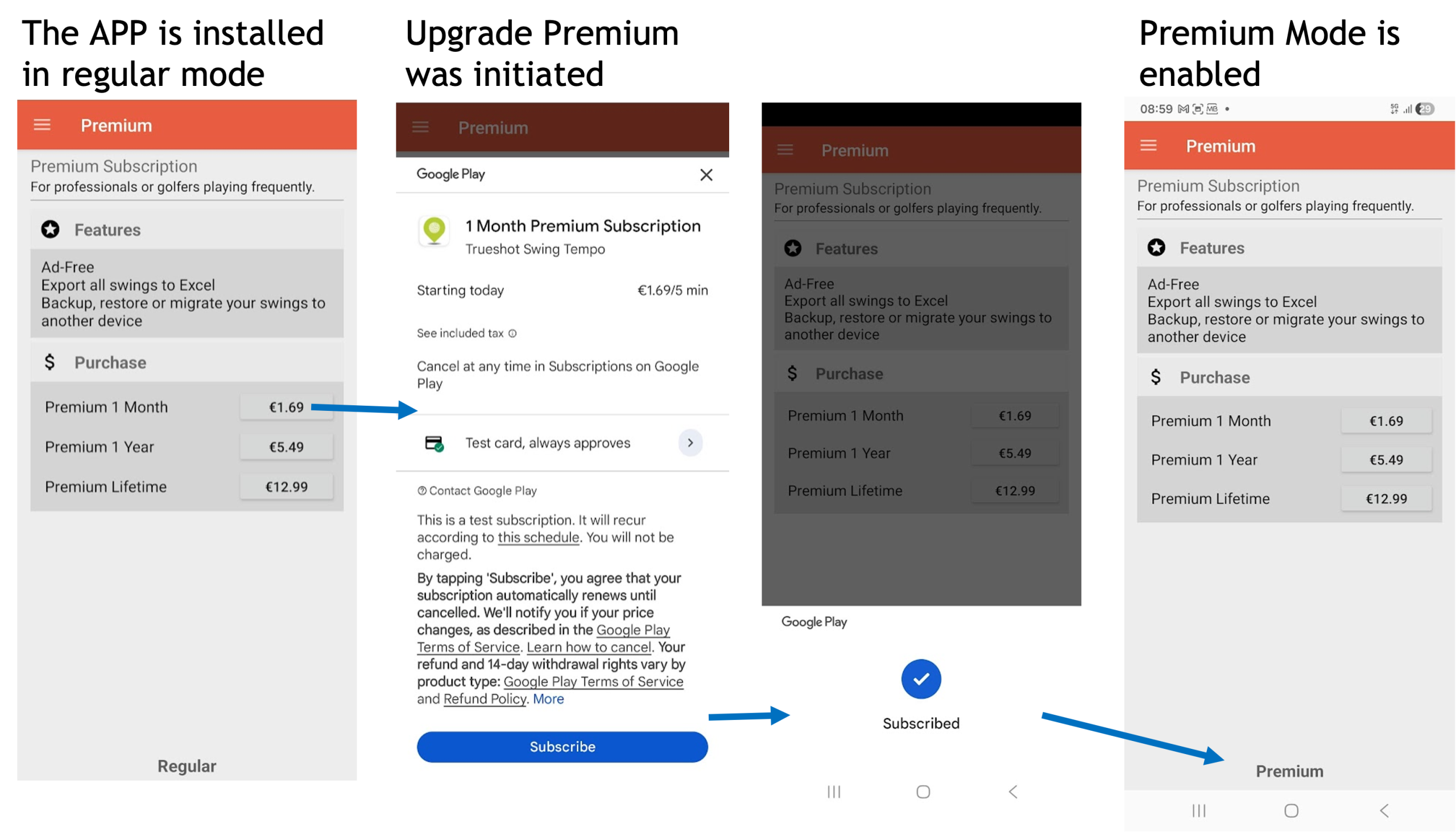
The Premium upgrade is a software activation feature using the free version of the application. It can be performed with Google Play online subscription services or using local license activation paid via Paypal. An example of using Google Play is provided in picture.
Export swings to Excel (Premium)
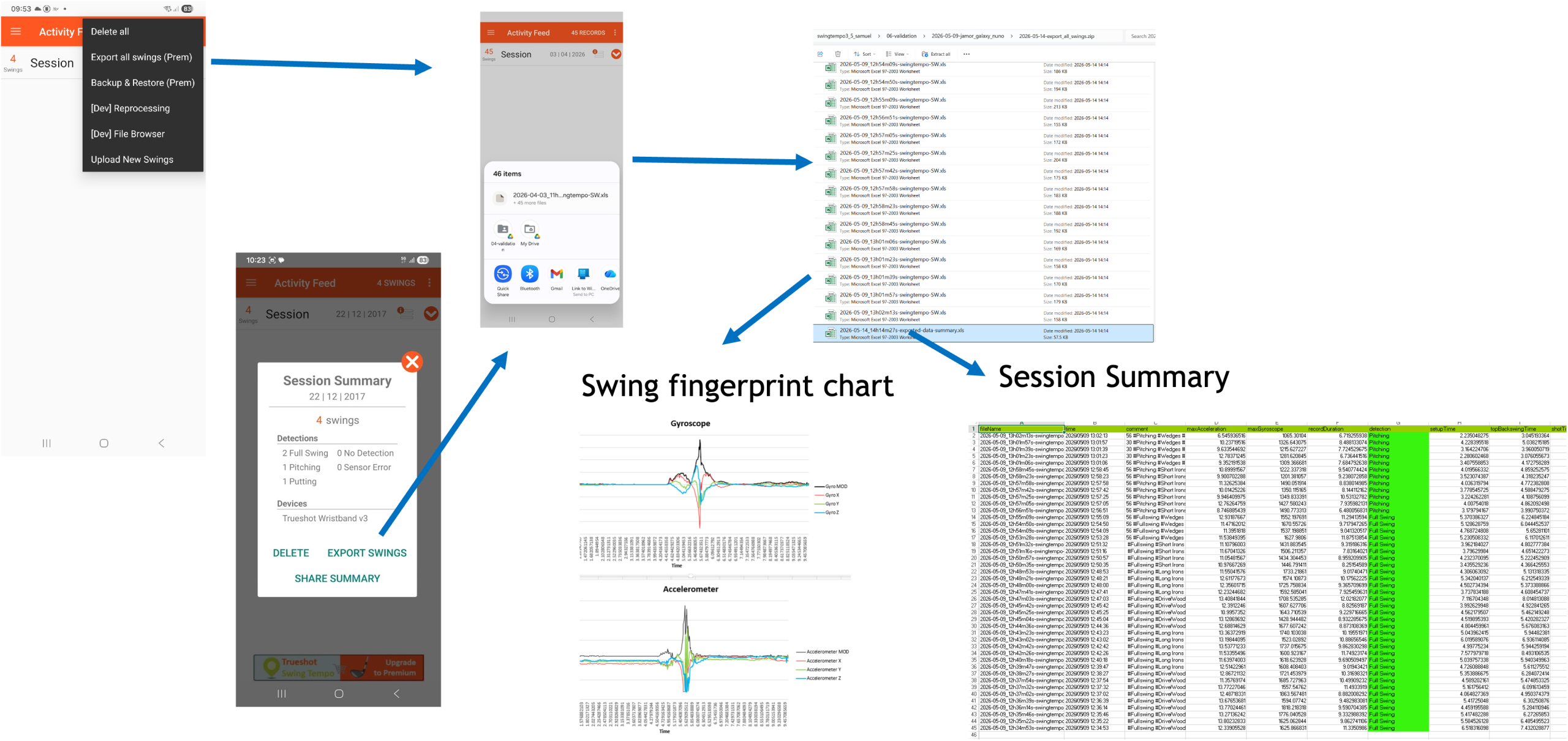
Export Swings to Excel is an advanced feature intended for users with an interest in physics, particularly those who want to analyze data from gyroscope and accelerometer sensors.
You can export all recorded swings, all swings from a specific session and an individual swing. Each swing is exported as an Excel file containing all sensor measurements recorded during the swing, using the sampling rate supported by your smartwatch.
The exported file also includes a pre-built chart, referred to as the Swing Fingerprint, which provides a visual representation of the swing data and helps identify the unique characteristics of each swing. This feature is especially useful for users who wish to perform detailed analysis, compare swings, or conduct their own research using the raw sensor data.
Reprocess swings (Premium)
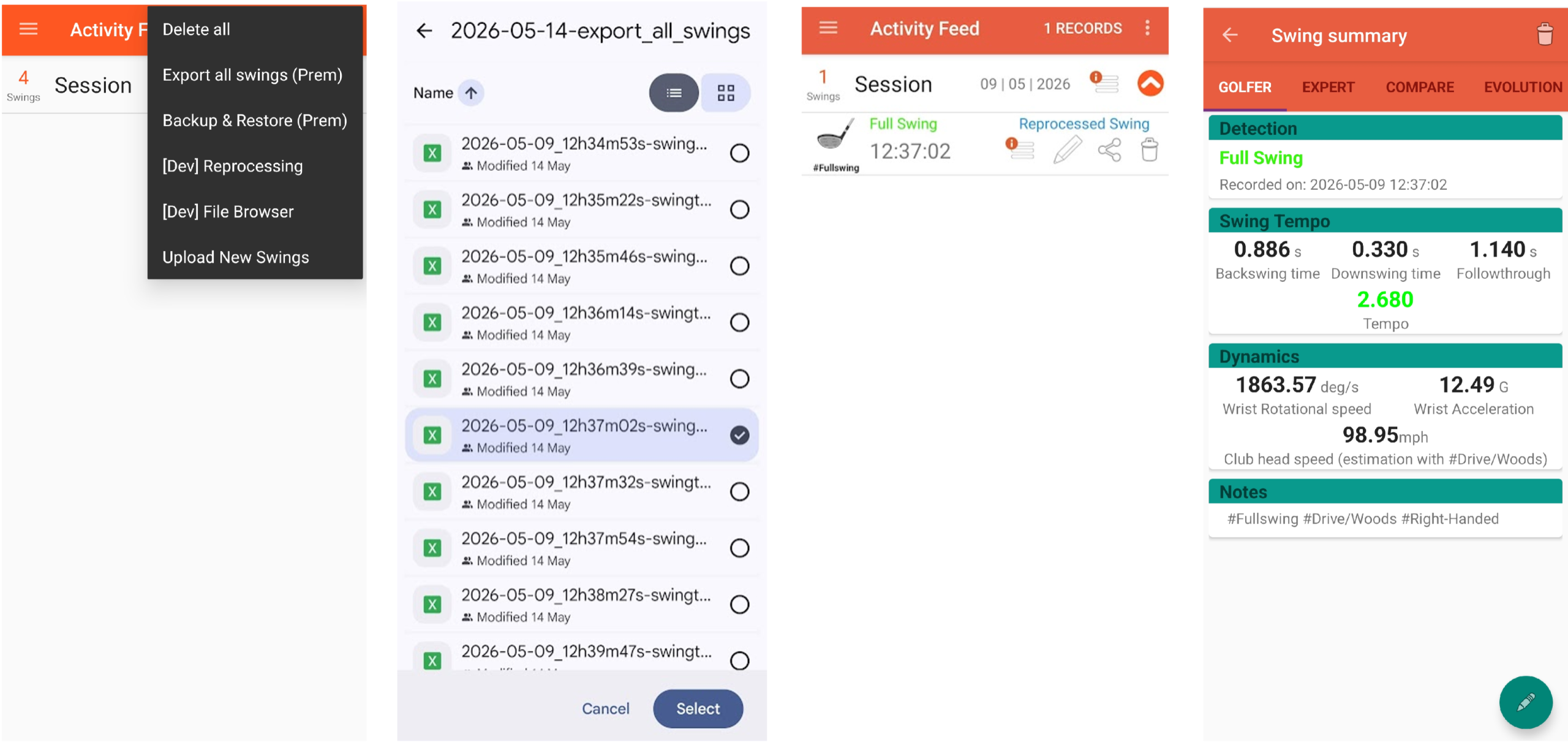
The reprocess of swings is also an advanced feature. It can be used to test the app detection model with modified, old measurements or measurements made by a third party application or other smartwatches.
By reprocessing the data, the app applies the current swing detection model to the selected measurements and generates updated detection results.
Backup and restore (Premium)
Backup and Restore is a premium feature designed to help you securely save and manage your data. This feature is especially useful for users who record a large number of swings and want to protect their work from accidental data loss. It also simplifies transferring or migrating data from one device to another.
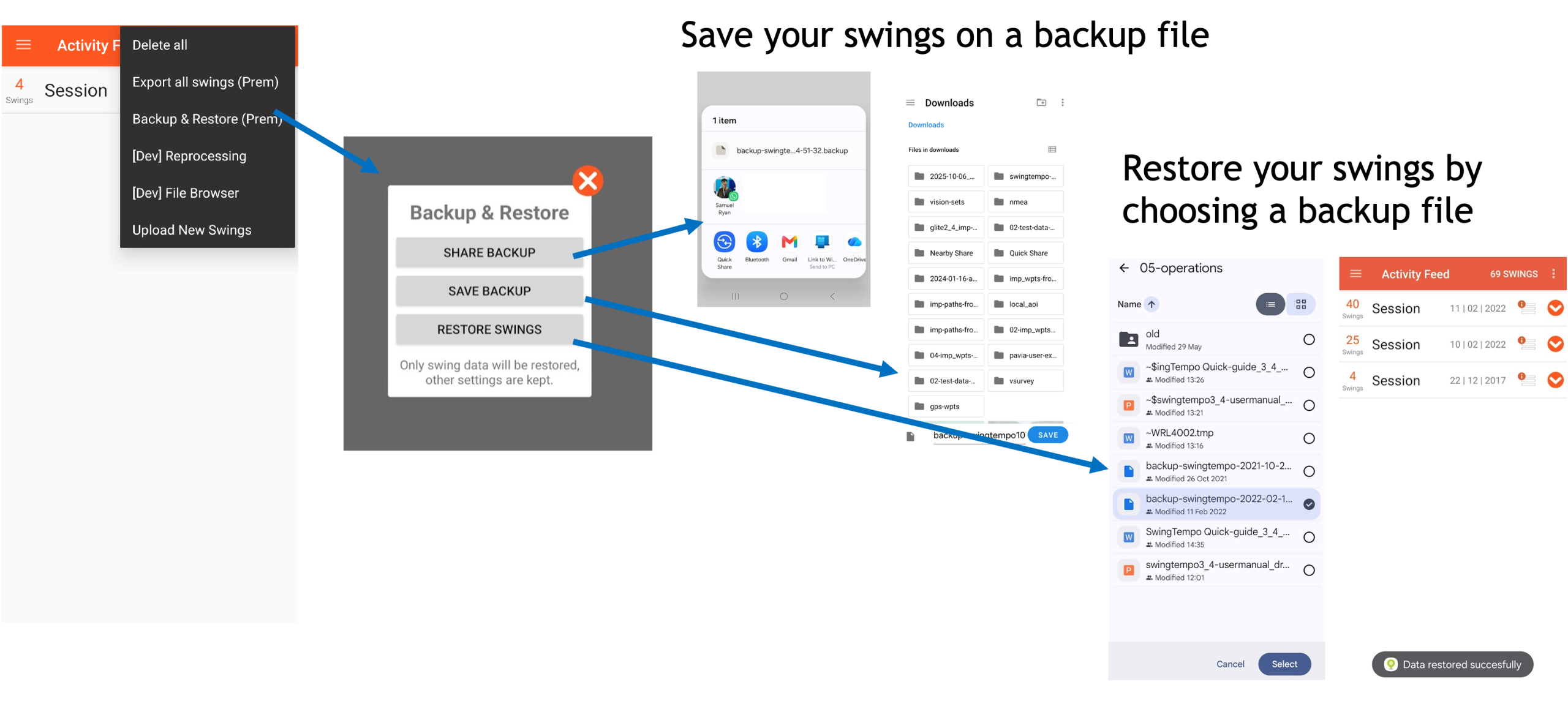
Regular backups are recommended to ensure your valuable swing data and analysis results remain safe and accessible.
