Earth Observation Images
Allows get and process an Earth Observation satellite image of a small area (up to 20kmx20km) since 2017 up to now, with the following processing types: true color, vegetation index (Red-Yellow-Green scale, False-Color scale, Natural scale) and Burnt Area.
Request a vegetation index image
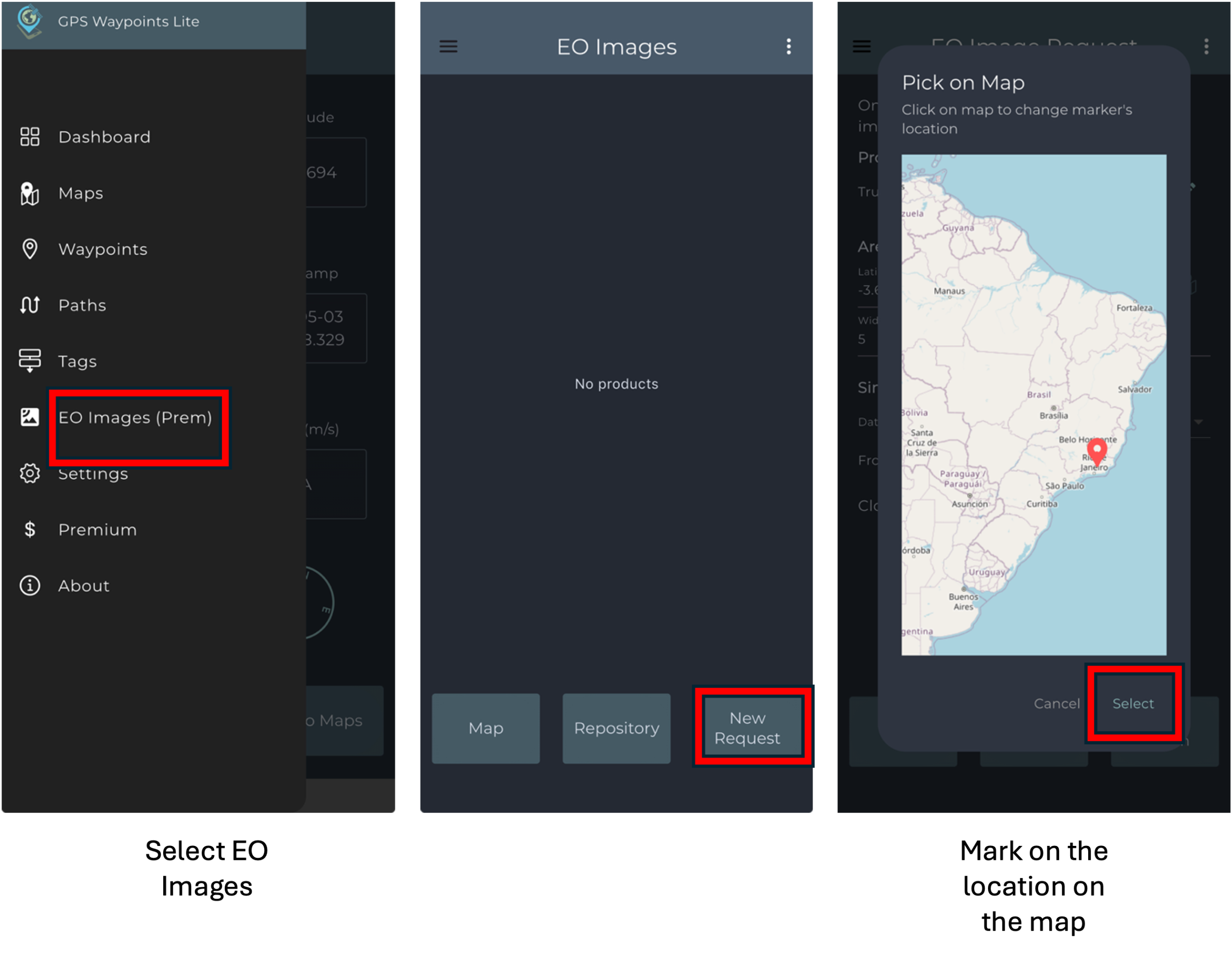
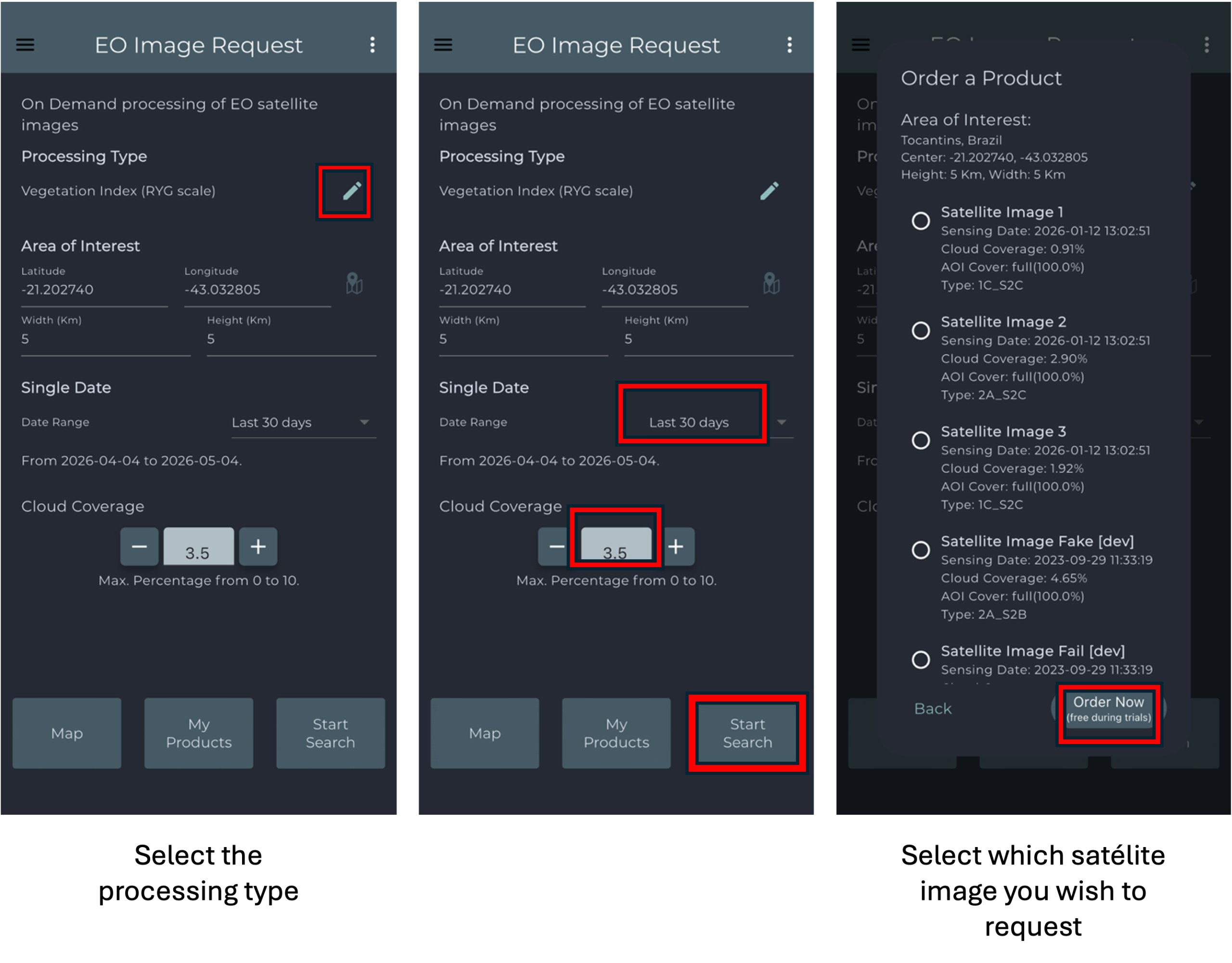
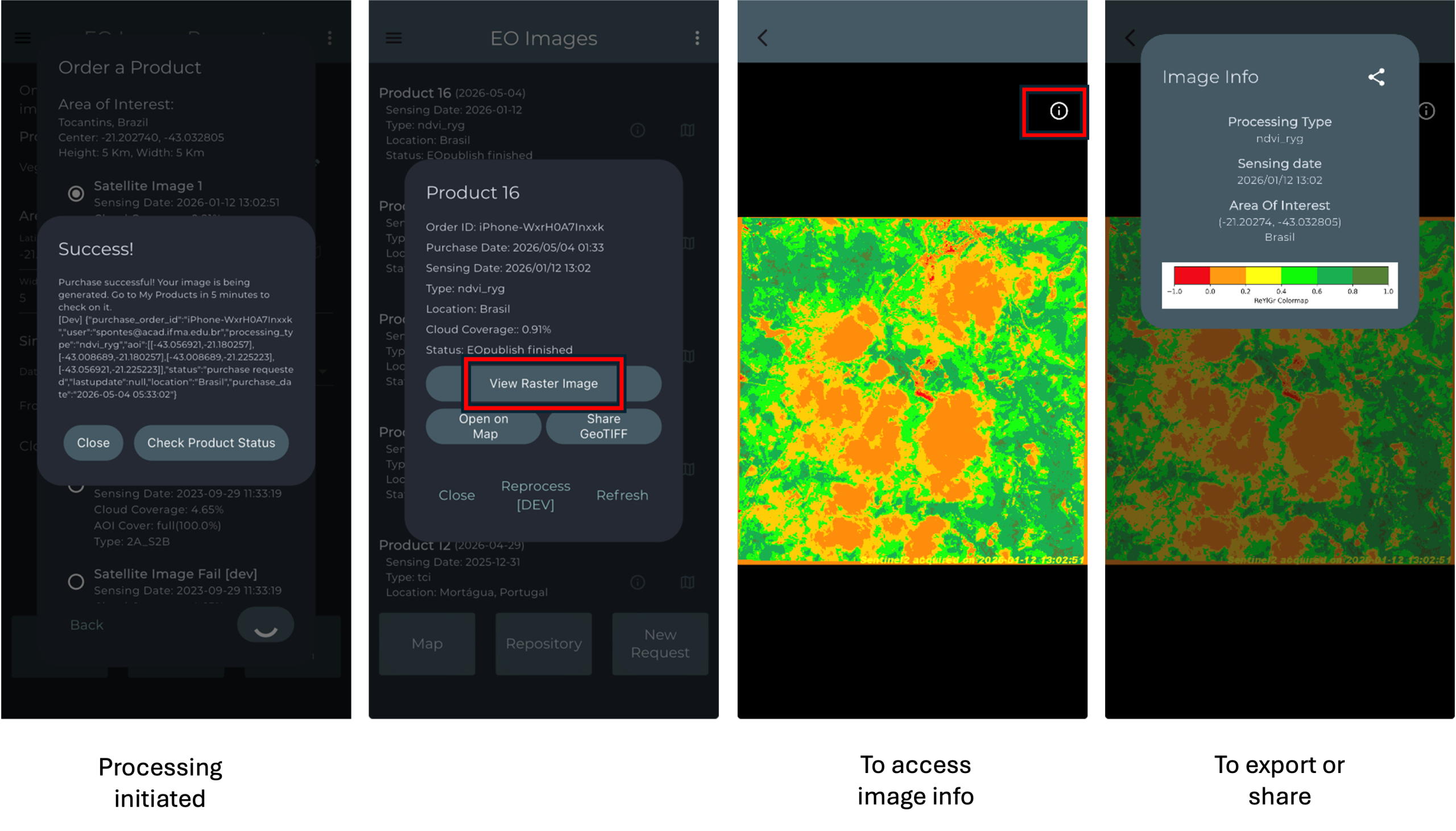
To request EO Images, open the main menu and select the EO Images option. Then, mark the desired location directly on the map and choose the preferred processing type. After that, define the desired date range and cloud coverage percentage, and start the search. Once the available satellite images are displayed, select the image you want to request. The processing will then be initiated, and after a few minutes, the product will be ready for visualization. Additional information about the selected image can be accessed by selecting the corresponding information icon.